

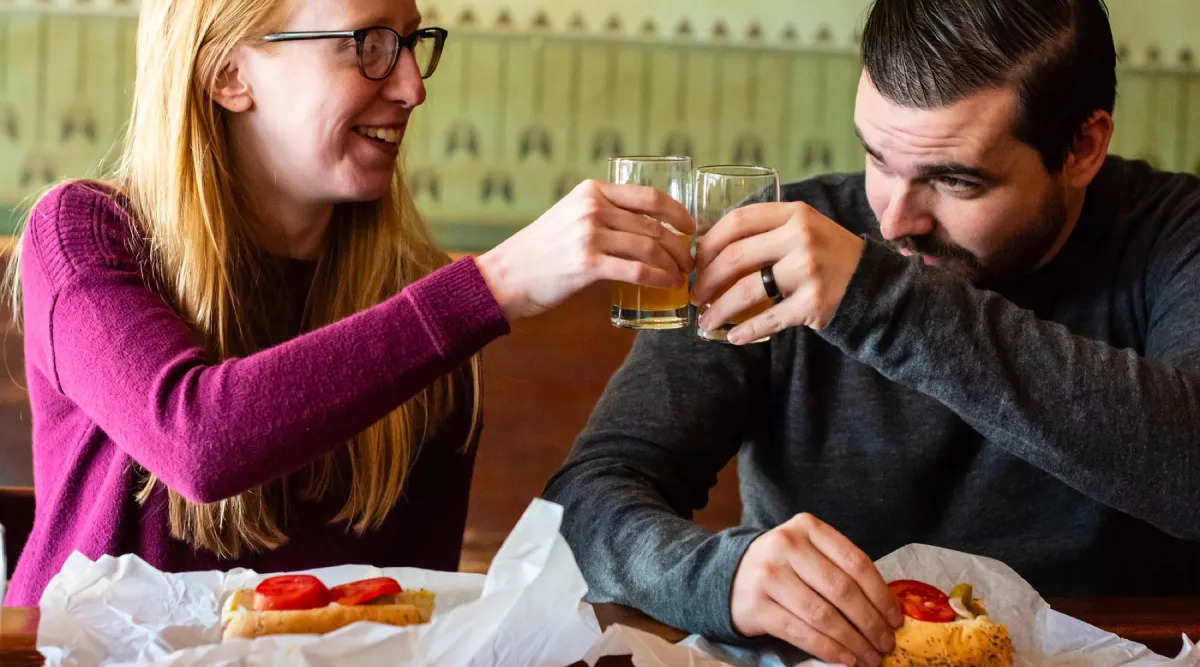
Food tours are the highest-engagement experience category in tourism. Every stop is a sensory peak. The table at stop three, where the guide explains why this neighborhood's version of the dish exists, is the moment. The kind of emotional high that makes guests want to tip generously, write a review, and tell people about what just happened. The question is whether operators capture what those moments generate.
The paper guidebook problem
Many food tour operators still use printed materials. These served a purpose for a long time. The problems are well documented by operators who have lived them.
"I have no interest in going back to paper copies. The biggest reason is logistics, getting them to guides when they run out. It is always an hour before the experience, never days in advance. Plus the waste of the paper, because I think a lot of people just end up tossing those. And then if anything changes, you are looking at reprinting costs or just telling people to ignore it, which I find to be highly unprofessional."
Alyssa Schoenfeld, Bites of Boston Food Tours
What guests actually want from a food tour is a record of what they tasted, guidance on where to go next, and a resource they can use after the experience ends. Paper rarely delivers this. A social media professional recently took a food tour in Mexico City, and when it ended, the guide sent the group a Google map with notes on every place they visited and further recommendations. Her reaction was exactly what every food tour operator wants from their guests.
"A social media person I am working with took a food tour in Mexico City recently. And she said when it was over, the tour guide sent everyone a Google map with where they went, with notes about each place and other recommendations. She really liked that."
Lesley Stracks-Mullem, Taste Carolina Gourmet Food Tours
A digital guidebook does this automatically. The guide does nothing extra. Every stop, every description, every recommendation is already in the guest's hand, and it stays there after the experience ends.
Features built for food tours
A food stop in Digital Guidebooks is not a regular stop page. It carries the tasting itself: a photo of the plate, what is included, a short description, and allergens. A stop can serve more than one tasting, so a wine bar pours a flight and a bakery plates a trio, and the tour overview counts the real number rather than the number of stops.
Behind that, a venue keeps its own library of tastings and you choose which ones a given tour serves. The same restaurant pours the biscuit on the brunch tour and the short rib in the evening, without a second copy of the place sitting in your Places list.
Allergens ride along with each tasting, which means a guest with a dietary restriction can check for themselves instead of emailing the operator. One food tour operator put it simply when she saw the field.
"Can it nudge my guests into telling me their dietary restrictions and food allergies prior?"
Lesley Stracks-Mullem, Taste Carolina Gourmet Food Tours
It is a fair ask, and collecting restrictions from guests before the tour is on the roadmap. Allergens on every tasting are the first step: giving guests the information they need to feel confident about what they are eating, without the operator fielding individual emails.
The email capture gap
Food tours run in groups. One person booked. Four, six, or twelve people showed up. The operator has the email address of the person who completed the reservation. Everyone else disappears. For private groups and corporate experiences, this gap is even larger.
Chicago Food Tours increased their email capture rate by 79% after introducing a digital guidebook. Every guest who accesses the guidebook enters their email and self-selects as a local or a visitor. Two audiences with different lifetime values and different things worth saying to them. Locals get invited back, upsold on private and corporate group experiences, built into a long-term relationship. Visitors activate referral value and get pointed toward experiences in their home city.
"That would be huge, especially for private tours. I still do not have a way of collecting everyone's emails when a private group comes out."
Matt Schlizzi, City Food Tours Philadelphia
Opening a guidebook and joining a mailing list are two different things, and the guidebook keeps them apart. The email at the access page opens the book. Near the end of the tour, once a guest knows whether they liked you, a page of its own asks them to join the list, with the address already filled in so it is one tap. Those opt-ins flow into Mailchimp, Flodesk, Klaviyo, ActiveCampaign or GoHighLevel, and the export keeps the guests who chose you apart from the ones who only wanted to read about lunch.
Tipping during the experience
Food tours have a tipping moment that is different from other experience types. Guides are managing pacing, dietary questions, group energy, and the logistics of moving twelve people through a busy neighborhood. Asking for a tip at the end verbally is awkward for everyone.
The guidebook puts the tip prompt at the right moment with suggested amounts based on the ticket price. Guides do not have to ask out loud. Digital tips average 10% higher than cash, and according to TripAdmit, 65% of people tip more generously with digital methods. The format removes the friction. The timing captures the feeling. Together they produce consistently higher gratuity for guides who are already doing excellent work.
The storytelling layer
Food tours do something few experience types can do: they take guests behind the scenes. Into kitchens, into prep areas, into relationships with vendors and chefs that took years to build. That context lives in the guide's head and in the verbal delivery. A digital guidebook puts it in the guest's hand.
"We do a back-of-house tour once a year with the executive chef. We cannot take our guests back there, but it would be really fun to do a video. Here is how many dishes they do. What does your soup pot look like? Here is the chocolate shop."
Karen Anderson, Alberta Food Tours
Video content at stops, historical photos, behind-the-scenes footage shot once and delivered to every guest. This is what elevates a food tour from a meal to a story guests tell when they get home. The guide's verbal delivery is the live performance. The guidebook is the record that travels with the guest and keeps the experience alive long after the last bite.
The photographs guests already take
No experience type is photographed like a food tour. Every plate gets shot before anyone picks up a fork. The cheese pull, the pastry case, the group crowded around a counter. It happens at every stop, on every tour, without anyone asking for it, and almost none of it is ever seen by the operator who made it happen.
A photo wall inside the guidebook collects it. Guests add their own pictures, everyone on that tour sees them, and the operator keeps them. Nothing is asked of the guide: the page is part of the guidebook the guest already opened, and it explains itself in whichever of the seven supported languages that guest reads.
For a food tour the second-order effect is the interesting one. Guests can tag which stop a photo was taken at, which means the photographs sort themselves by venue. A bakery that hosted forty guests last Saturday can be sent forty photographs of its own pastries, taken by delighted customers, at no cost and no effort. Vendor relationships are the hardest thing a food tour operator builds and the easiest thing to let go cold. This is a reason to be in touch that is not a favor and not an invoice.
It also solves a quieter problem. Most food tour marketing photography is shot once, on a good day, two years ago. A wall of real guest photos is current, it is seasonal, and it shows the food as guests actually meet it.
This is a different job from a dedicated photo platform, and worth understanding before choosing either. Fotaflo, Picsaurus and Digital Guidebooks compared lays out what each one is actually for.
Pages for the things a menu cannot hold
Food tours accumulate information that does not belong on a stop page. Where to buy the olive oil everyone asked about. What the dietary swaps are for the vegetarian on Thursday. Which private and corporate options exist for the group that just spent two hours deciding they want to bring their whole office.
A custom page is a blank page in the guidebook: a title, the operator's own words, one image and one button. It behaves like every other page, translates like every other page, and comes along when a guidebook is duplicated. Three uses earn their keep on a food tour almost immediately:
- The shopping list. Guests constantly ask where to buy what they just tasted. A page listing every vendor, with links, answers it once instead of fifteen times per tour and sends real traffic to the stops.
- The private tour pitch. The best moment to sell a corporate booking is twenty minutes before a group of colleagues finishes having a great time together. A page with the offer and a booking button sits right there in the guidebook.
- Dietary and allergen detail at length. The stop pages carry the allergen field, but the full picture of what a kitchen can and cannot do is often a page of its own, and guests would rather read it than email about it.
Duplicating a guidebook, swapping the branding and adding one page is also how most operators run their corporate group experiences without building anything new.
Frequently Asked Questions
Can I add allergen information to a digital guidebook?
Yes. Every tasting on a food stop carries its own allergens, entered as chips with suggestions as you type. Guests with dietary restrictions can check for themselves without emailing the operator, which cuts pre-experience support volume.
How do food tour operators collect guest emails?
Through a digital guidebook that requires an email to access. Every guest in the group enters their email, not just the person who booked. Chicago Food Tours increased their email capture rate by 79% after introducing a digital guidebook.
What is the best tipping solution for food tour guides?
A digital guidebook that puts the guide's personal payment links directly in the guest's hands during the experience. Guides do not have to ask out loud, and digital tips average 10% higher than cash.
Can I customize the guidebook for each food stop?
Yes. A venue keeps a library of tastings and you pick which ones a stop serves on a given tour, so the same restaurant can plate a different dish on your brunch tour and your evening tour. A stop can serve more than one tasting. Guides add their own recommendations at each stop through their guide code.
How do food tour operators get photos from their guests?
Through a photo wall inside the guidebook. Guests upload their own pictures from the phone they are already holding, and the photos appear immediately for everyone on that tour to see. Guests can tag which stop each photo was taken at, so the operator ends up with guest photography sorted by venue and ready to share with the restaurants and vendors that hosted them.
Can I add a page for private or corporate food tours?
Yes. A custom page takes a title, your own copy, one image and one button, so a private events pitch or a vendor shopping list can sit inside the guidebook alongside the stops. Custom pages translate with the rest of the guidebook and carry over when a guidebook is duplicated for a corporate group.
See Digital Guidebooks built for food tour operators.
Plans start at $99 a month, and every one comes with a 60-day money-back guarantee.
View Pricing →